
What do you do when Amazon removes your listings, rejects your barcodes, or links the wrong variants together? You need practical knowledge and solutions immediately. Solving Amazon catalog problems means figuring out why a listing broke and getting it back online before it costs you ranking and revenue. This guide covers the solutions sellers rely on and points you the way to SellerHQ, the partner that steps in as soon as the problem runs deeper than a quick adjustment.
Most sellers do not realize how many different systems can block the same ASIN — search suppression, offer suppression, and category compliance all work differently, and a solution that works for one problem rarely works for another. Knowing what caused the error saves you hours of trial and error and is often the difference between fixing it the same day without losing visibility or remaining unfindable for at least a week. The steps below are applicable to both a single ASIN and an entire catalog spread across multiple marketplaces.
Why you need to address Amazon Catalog problems immediately
Every hour a listing is inactive costs you revenue. Amazon won’t wait for you while you try to figure out what’s wrong. One incorrect attribute, a faulty barcode number, or a rejected profile picture can take your bestseller off Amazon within minutes. The longer your product remains offline, the harder it becomes to regain its position in the search results. Sellers who view this as part of the selling process, rather than administrative hassle, recover from their losses faster, while their ranking remains undamaged.
Figures back up why speed matters. According to Statista’s 2026 marketplace data , 61 percent of all units sold on Amazon now come from third-party sellers. This means that competition within the marketplace is fierce. If your listing is suppressed or incorrectly flagged, you not only lose visibility and traffic, but you also immediately hand over potential sales to competing ASIs. Creating listings faster requires a structured approach to Amazon catalog errors. Without proper checks, the number of errors increases along with the speed.
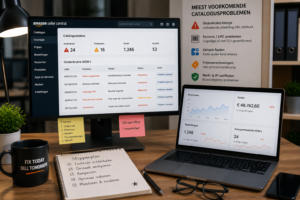
The causes behind every Amazon catalog bug fix
Virtually all catalog problems arise from a limited number of recurring causes.
- Suppressed listings: missing main images, incomplete titles, or empty required attributes remove an active product from search results.
- Rejected new listings: an invalid UPC or GS1 barcode, or an incorrect category classification, prevents a product from ever going live.
- Variation errors: incorrect parent-child relationships disrupt the size or color dropdown and can clear catalog data.
- Price warnings: Amazon hides the ‘Add to Cart’ button on offers it labels as non-competitive.
- Trademark and IP conflicts: discrepancies in the Brand Registry lead to removals for which you must submit a well-substantiated case to Seller Support.
Anyone starting an Amazon catalog troubleshooting project for the first time often assumes that every error is a content issue. In reality, many errors arise from changes to the category schema on Amazon’s end, and that is precisely why the solution must begin by determining which system blocked the ASIN.
A practical Amazon listing troubleshooting guide, step by step
- Look up the error code: go to Manage Inventory in Seller Central; there you will find the reason for suppression under ‘Suppressed’ or ‘Problems’ for the relevant ASIN.
- Isolate one variable at a time: if an uploaded image caused the product to stop being displayed, adjust the product title and attributes one by one until the restriction disappears.
- Check the category requirements: mandatory fields vary by product type, so make sure you use the correct template before resubmitting.
- Resubmit and monitor progress: Carefully check your file before uploading and continue tracking the ASIN until the review is fully completed.
- Escalate with documentation: if you cannot resolve the issue yourself, contact Seller Support and attach screenshots. Be as detailed as possible so they can find a solution quickly.
This sequence forms the basis of every effective Amazon listing troubleshooting guide and provides a proven step-by-step plan that experienced Amazon account managers apply to hundreds of ASINs every week.
Make solving Amazon catalog problems part of your weekly routine
One-off solutions do not prevent catalog problems from recurring. Strong Amazon accounts therefore work with fixed checks on account health, variety structures, and pricing rules, so that problems are identified and resolved before a listing is suppressed. SellerHQ builds this monitoring into the account management service, ensuring problems are caught before shoppers ever see a broken listing. That proactive approach makes the difference between having to restore a suppressed bestseller after the fact and preventing problems before they lead to suppression in the first place.
SellerHQ’s catalog specialists provide support with barcode compliance, listing recovery, variation linking, and brand changes. With over five years of experience, they resolve these types of catalog issues daily as part of comprehensive Amazon account management. The true value of an effective Amazon catalog troubleshooting guide lies in the fact that there are no surprises, recovery is fast, and the catalog continues to generate revenue while the seller can focus on growth.
Key insights
- The longer a listing remains suppressed, the more organic ranking it loses — so speed is just as important as accuracy.
- Most catalog errors fall into five categories: suppression, disclaimer, variations, price warnings, and brand conflicts.
- By tackling problems step by step at the root cause, you reduce the chance of new suppressions and prevent unnecessary resubmissions.
- In 2026, the number of AI-generated listings will be almost at the same level as manually created listings — the need for good problem solving therefore remains and will only increase.
- A structural check routine keeps your catalog healthy and prevents the same problems from recurring time and again.
Conclusion
Constantly solving problems only when they arise is unsustainable in the long run. Do you want to avoid having to constantly chase after error codes and suppressed listings? Then make a good Amazon catalog troubleshooting guide part of your standard workflow. This way, you tackle problems on time and maintain control over your catalog.
Catalog issues often only become apparent when they are already impacting your sales. By the time order numbers drop, a product’s organic ranking may have already deteriorated significantly. Therefore, conduct regular weekly catalog checks and monitor key Account Health indicators.
Additionally, preferably implement changes step by step rather than adjusting everything at once. This limits risks to your revenue and performance. Sellers who treat catalog management as regular maintenance keep their listings more stable amidst changes and updates within Amazon.
Do you want to prevent suppressed listings and catalog errors from costing you unnecessary revenue? The Amazon experts at SellerHQ help you address the causes structurally and keep your catalog healthy.
Frequently Asked Questions
1.What is the fastest way to check why my Amazon listing is suppressed?
Open Manage Inventory in Seller Central and view the ‘Suppressed’ tab (search suppressed) for the exact error code and the corresponding field — step one in every Amazon listing troubleshooting guide.
2.Can a suppressed listing harm my Account Health score?
Yes. Repeated suppressions and unresolved catalog errors can affect your Account Health Rating and, in severe cases, lead to broader sales restrictions.
3.How long does it take to restore a suppressed listing?
Simple adjustments, such as replacing an image, are often processed within 24 to 72 hours. Variation errors or brand conflicts take longer if escalation to Seller Support is necessary.
4.Do I need to change my barcode if Amazon marks my UPC as invalid?
Often, yes. Amazon is increasingly requesting GS1-certified barcodes, so an invalid UPC usually needs to be replaced before the listing can go live again.
5.Should I resolve catalog errors myself or hire an agency?
You can easily handle simple errors yourself, but recurring or complex cases of Amazon catalog troubleshooting are usually resolved faster with an experienced partner.